
iSharing: GPS Location Tracker
iSharingSoft, inc.Communication
4.62.22K Reviews
- Version
- 12.17.5.5
- Installs
- 10.00M
- Age Rating
- Everyone
Screenshots
Our Review of iSharing: GPS Location Tracker
 Analysis by Appyee
I tend to judge a family location app less by how impressive its map looks and more by whether it helps people coordinate without turning every trip into a check-in. iSharing: GPS Location Tracker is built for that kind of everyday reassurance: a circle of people can share where they are, see one another on a map, and use alerts to make routine plans easier. I find that idea most useful when everyone has agreed on the purpose and the boundaries first. Location sharing works best as a convenience people choose, not as a substitute for trust.
What to expect from location updates
A live map can feel instantaneous, but location information depends on the phones involved and their ability to report a position. I would treat the map as a helpful indication of where someone is, not as a second-by-second guarantee or proof of exactly what they are doing. If a person appears not to have moved, I would check in directly before drawing conclusions; a stale-looking position can be less useful than a quick message asking whether they are on their way.
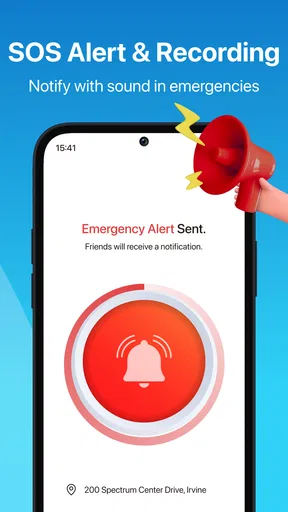
That distinction matters most when timing is tight. For an ordinary pickup, the map can save a call or a string of “where are you?” messages. For an urgent situation, I would use the panic alert as a way to get the circle’s attention, while still contacting local emergency services when appropriate. A family tracking app is a coordination aid, not an emergency-response service.
Useful when the group has a shared routine
The app makes more sense when a group has recurring needs than when one person simply wants to watch another. A parent and teenager might agree to use arrival notifications for the trip between school and home, for example, while leaving other parts of the day private. That is a narrower and healthier workflow than checking a map repeatedly. I would begin with one practical purpose, then decide together whether the alerts actually reduce friction.
It can also help adults meeting across a busy area. Rather than sending directions back and forth, each person can look at the map and use the built-in messaging to say which entrance or landmark they are near. The map answers “roughly where are you?” while a short message handles the detail a location dot cannot convey. That combination is more useful than expecting tracking alone to solve every coordination problem.
Keep alerts useful, not noisy
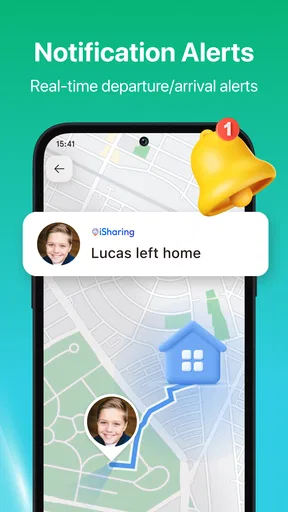
Arrival and departure notifications are most valuable when they answer a question the recipient would otherwise need to ask. If a family creates too many designated places or expects an alert for every movement, the stream can become background noise. I would set only the areas tied to a genuine routine, such as home or a regular pickup point, and review whether each notification still earns its place. Fewer meaningful alerts are easier to notice than a long list of routine updates.
Before relying on an alert, make sure everyone understands what it does and what it does not mean. A notification can help a parent avoid repeatedly texting a child who has arrived, but it should not become a demand for constant availability. The same goes for the panic alert: it is useful only if the circle knows how to respond, who will check in, and what to do if nobody answers immediately.
Privacy needs a group agreement
The ability to control visibility is important, but a setting alone cannot settle the social side of sharing. I would talk through who belongs in the circle, when location sharing is expected, and how someone can pause it without having to justify every choice. For children, the conversation can change as they grow; clear expectations are better than treating permanent access as automatic.
There is also a practical trade-off between convenience and openness. If one member turns visibility off, others may have less information, but that should be understood as a privacy choice rather than evidence of wrongdoing. For people who only need to share a route or a temporary meeting point, a phone’s built-in location-sharing option may be a better fit than keeping a family circle active. The right choice depends on whether the group wants an ongoing shared routine or an occasional, limited handoff.
Effortless Location Sharing
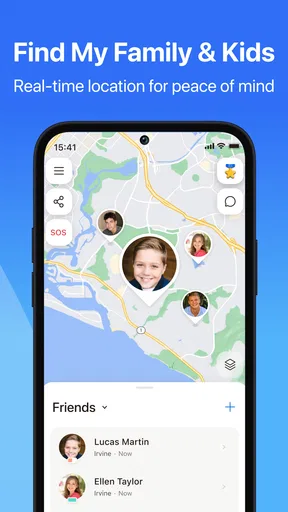
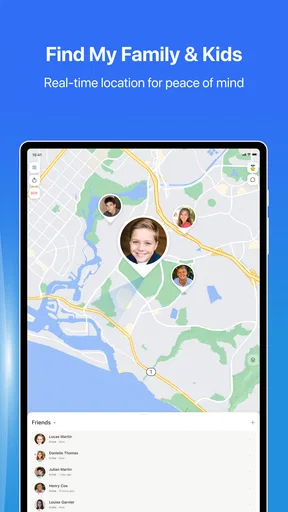
The first thing that struck me about iSharing: GPS Location Tracker was how effortlessly it allows you to share your location with others. It’s like having a digital safety net. The app enables real-time location tracking, so no matter where you are, your trusted circle can keep an eye on your whereabouts. I found this especially useful when coordinating meet-ups or ensuring my younger siblings made it home safely from school.
Setting up the app is a breeze. Once you and your contacts have installed the app, you just send them an invite. After they accept, you’re all set up. The interface is user-friendly, with an intuitive map that displays everyone's location at a glance. I appreciate how it’s not cluttered with unnecessary features, making it super easy to navigate.
Safety Alerts and Notifications
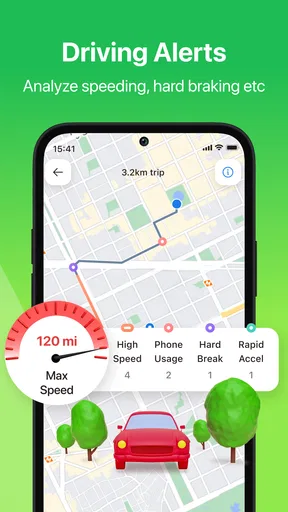
This app isn't just about tracking; it’s about staying informed. One of the standout features is the safety alerts. Whenever a member of your circle arrives or leaves a designated area, you get a notification. This is perfect for parents like me who want to ensure their kids are where they’re supposed to be without constantly badgering them. It’s like having an extra set of eyes.
The app also includes a panic alert function. If someone in your circle feels unsafe, they can send an immediate alert to everyone else. This feature added another layer of security, especially when my teenage daughter started going out with friends more often.
Battery-Friendly Design
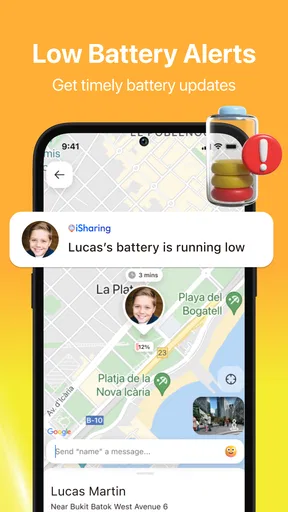
Now, I know what you’re thinking—won’t constant GPS tracking drain my battery? Surprisingly, the app is designed to be battery-efficient. I’ve been using it for a few weeks now, and I haven’t noticed any significant drain on my phone’s battery life. The developers seem to have struck a good balance between functionality and power consumption, which is a huge plus in my book.
For a fair test in your own routine, I would compare battery use over similar days rather than judging it from a single outing. Navigation, screen time, weak reception, and other apps can all affect how long a phone lasts, so it is hard to attribute every change to location sharing. If battery life becomes a concern, check whether the app is still useful to everyone in the circle and avoid treating the map as something that needs constant attention. The goal is to make coordination easier, not to keep a phone awake for reassurance.
Privacy Considerations
Privacy is a concern whenever you deal with location data, and iSharing has thought this through. You have total control over who can see your location and when. You can easily toggle your visibility on or off, ensuring privacy doesn’t take a back seat to convenience. I appreciate the transparency and control offered here, as it makes me feel secure about sharing my location.
That control is especially useful for mixed-age households, where a parent may want an arrival check for a younger child while an older teen expects more independence. I would agree on the purpose of sharing before sending invitations, and revisit it if the arrangement starts to feel more like surveillance than support. A good rule is to ask whether each person can explain, in their own words, why the group is sharing and how they can pause it. If that conversation is uncomfortable, a narrower, temporary sharing method may be the better choice.
Communication Made Easy
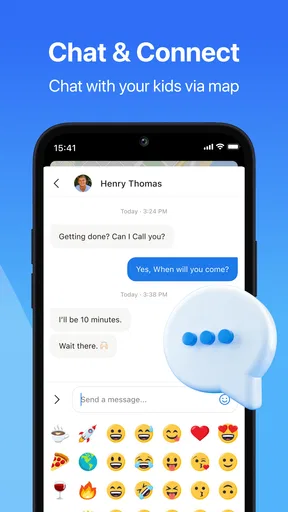
Another feature I love is the built-in messaging system. You can send messages to individuals or the entire group, making coordination simpler. Whether it’s a quick “I’ll be late” or “Meet me here,” the messaging function is a handy way to keep everyone in the loop without switching apps. It’s little touches like this that make the app feel complete.
In a real pickup scenario, I would use the map to see whether the driver is nearby, then send one concise message if the meeting point has changed. That avoids the common problem of several people making separate assumptions from the same map. The messaging feature is best for short logistics, though; if a conversation needs more context or the group already uses another messaging service, switching back and forth may be simpler than duplicating every chat in a location app.
How it compares with simpler options
Compared with sharing a location through a general messaging app, a family locator is better suited to a group that wants recurring visibility, arrival and departure alerts, and one shared map. A one-off location share is less commitment and can be preferable for meeting a friend or sending a route to someone who does not need ongoing access. I would not install a dedicated tracker just to solve a single afternoon’s meetup.
Likewise, a phone’s built-in family or location tools may be enough if everyone already uses the same platform and wants only basic sharing. The reason to choose this app is the combination of a dedicated circle, map, alerts, panic function, and messaging in one place. That package is more useful for a household with established routines, but it also asks each participant to install the app and accept the invitation. If a relative is reluctant to join another service, the group should not assume the map is worth that friction.
Who will get the most from it
I see the strongest fit for families and close groups who have a clear reason to coordinate locations regularly: parents checking that children reached a familiar destination, relatives meeting across town, or household members sharing pickup duties. It is less compelling for people who value keeping location private most of the time, or who rarely need to coordinate beyond a quick message. It is also not a substitute for personal judgment: a map cannot tell you whether someone is safe, why they stopped, or whether they need help.
A useful way to start is to invite only the people who need to participate, choose a small number of relevant places, and try the routine for a while. If the alerts lead to fewer check-in texts and everyone feels comfortable, the app is doing a practical job. If members ignore the notifications, feel watched, or find the extra app unnecessary, it may be better to stop sharing or use a simpler option. I would rather see a family use a modest setup consistently than create a complicated monitoring routine nobody wants.
Availability and day-to-day expectations
iSharing is a free communication app from iSharingSoft, inc., with optional in-app purchases listed from $2.99 to $129.99 per item. The app is rated for Everyone, and its current version is 12.11.8.4. It has a 4.6 average from around 230,000 ratings and more than 10 million installs, which suggests that location sharing is a familiar use case for a large audience. Those figures do not tell me whether the app suits a particular family, so I would focus first on whether its ongoing sharing model matches your needs.
It was released on June 16, 2012, and requires operating system version 7.0 or later. Older or tightly managed devices can make any location-sharing routine less convenient, so I would check compatibility before asking every family member to join. After installation, allow time for everyone to accept invitations and agree on visibility; the first useful test is a normal trip, not a stressful moment when someone expects the app to work without practice.
Final Thoughts
To wrap it up, iSharing: GPS Location Tracker has genuinely impressed me with its simplicity and effectiveness. It’s a great tool for anyone who wants to stay connected with their loved ones while ensuring their safety. The balance between functionality and privacy, along with the app's reliability and ease of use, makes it a standout option in the crowded space of location-sharing apps.
If you’re looking for peace of mind without sacrificing your privacy, this app is definitely worth a try. It’s become an indispensable part of my digital toolkit, and I'm sure it will be for you too. Check it out and let me know how it transforms your daily routine!
Verdict
Strengths of iSharing: GPS Location Tracker
- Real-time location sharing is precise and reliable.
- User-friendly interface for easy navigation.
- Battery consumption is optimized for longer use.
- Supports instant alerts for location changes.
- Cross-platform compatibility enhances usability.
Limitations of iSharing: GPS Location Tracker
- Location accuracy may vary in remote areas.
- Requires data connection for real-time updates.
- Limited features in the free version.
- Privacy concerns with continuous tracking.
- Occasional notification delays observed.
Similar Picks in This Category
View All
Google Messages
Google LLC4.6

Gmail
Google LLC4.1

Google Meet
Google LLC4.4

Google Chrome
Google LLC4.1

WhatsApp Messenger
WhatsApp LLC4.6

Carrier Services
Google LLC4.2
Frequently Asked Questions
What is iSharing: GPS Location Tracker used for?
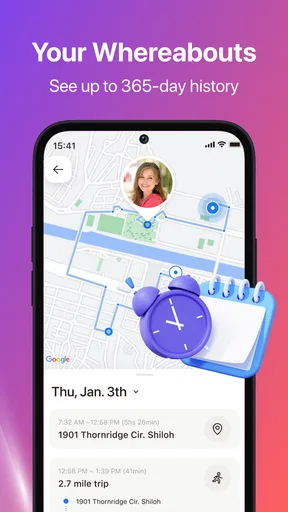
iSharing: GPS Location Tracker is a family safety app designed to help users stay connected with their loved ones. It provides real-time location updates, allowing users to check the whereabouts of family members and friends. The app also includes features like location history, alerts for arrivals and departures, and an integrated messaging system.
How accurate is the location tracking feature in iSharing?
The accuracy of iSharing's location tracking largely depends on the user's device and network conditions. Generally, the app provides precise real-time location updates using GPS technology. However, factors such as poor signal strength or device settings might impact accuracy. Users can enhance accuracy by ensuring their device settings allow GPS tracking and maintaining a strong network connection.
Is my location data safe with iSharing?
iSharing prioritizes user privacy and data security. The app uses encryption to protect location data and personal information. Additionally, users have control over who can view their location, allowing them to share it only with trusted contacts. The app complies with privacy regulations to ensure that user data is handled responsibly.
Does iSharing drain battery quickly?
iSharing is designed to minimize battery consumption while providing effective tracking. Although GPS-based apps generally use more battery, iSharing optimizes its processes to reduce impact. Users can manage battery usage by adjusting location update frequencies or using the app's battery-saving options, ensuring a balance between performance and power efficiency.
Can I use iSharing without an internet connection?
For optimal performance, iSharing requires an internet connection to update and share real-time locations. However, users can still access certain features like viewing previously recorded location history without active data. It's recommended to have a stable internet connection to utilize all app functionalities effectively.
